Into the deep end - Karori lifeguard up for challenge as Reserve Force soldier
02 May 2024
Unfortunately you are viewing this website on an outdated browser which does not support the necessary features for us to provide an adequate experience. Please switch to a modern browser such as latest version of Google Chrome, Mozilla Firefox, Apple Safari or Microsoft Edge.
Ngā mihi nui




02 May 2024
02 May 2024
26 April 2024

26 April 2024

26 April 2024

25 April 2024

25 April 2024
24 April 2024
24 April 2024

23 April 2024

23 April 2024
23 April 2024
23 April 2024

23 April 2024
22 April 2024

22 April 2024

19 April 2024

18 April 2024
17 April 2024

17 April 2024
16 April 2024

15 April 2024
10 April 2024
10 April 2024

05 April 2024

28 March 2024

27 March 2024

25 March 2024
20 March 2024

15 March 2024
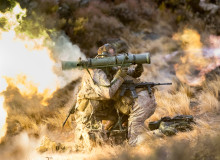
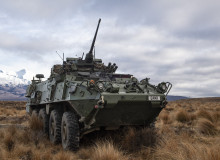
Our mission is to provide world-class, combat ready, land forces that are trained, led and equipped to win as part of an Integrated Defence Force. We are an information-enabled Army that leverages modern equipment and technology in order to improve our training, enhance our decision making and optimise our capabilities.
We come from all walks of life and share a strong sense of what it means to be Kiwi - our culture is based on our values Tū Kaha (courage), Tū Tika (commitment), Tū Tira (comradeship) and Tū Maia (integrity). Together, we are a Force for New Zealand and are proud to serve Aotearoa and its diverse communities.
As an agile and highly adaptive combat force, we need to be well equipped to help us operate in diverse environments, with precise effect.

In the Army you'll never rest on past successes. We'll push you to constantly better yourself. But you won't have to do it alone. You'll be part of a tight-knit team – people that you'll come to trust, no matter what. Whatever your role, you'll be given the best possible training, equipment and encouragement. Everything you need, in fact, to create a successful and valued career.
Find out more
08 March 2024

08 March 2024

07 November 2023

26 October 2023

18 October 2023

29 September 2023

20 July 2023